Step 1: Log in to your Mailvio account.
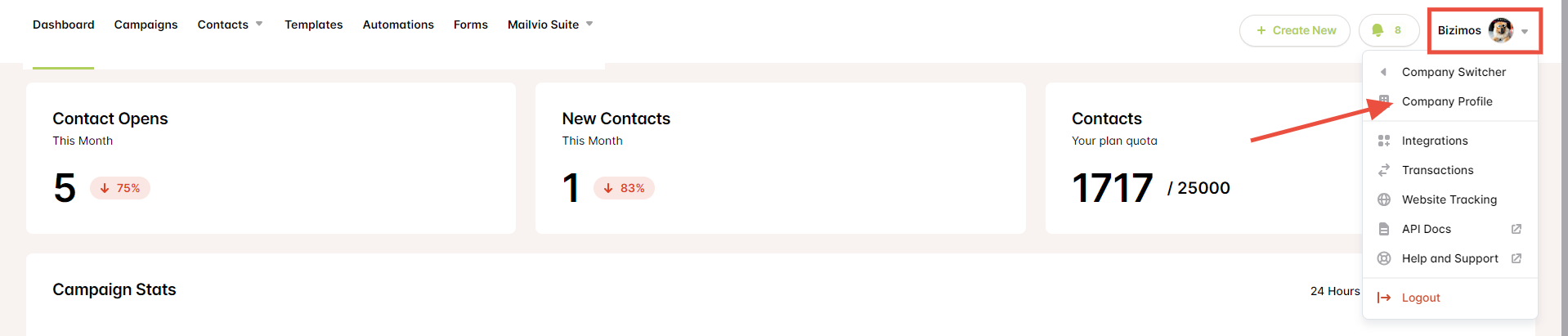
Step 2: From your Dashboard, click on your profile name and go to ''Company Profile''.
Step 3: From there, click "My Domains" and then click "Add & Verify Domain", and when you click that you need to verify first your domain so just add your email address and click "Continue".


Step 4: Once done, you’ll see that your domain is added (ex. emailfunnel.club) and you’ll also receive an email to verify the domain.
Step 5: Just click the "Verify Domain" button and you’re done.
If you have further questions, please reach out to us here. Please make sure to choose Mailvio as the product.